Features
The integration provides 6 powerful operations for automated web data extraction:Scrape Website
Extract content from any single URL in multiple formats (Markdown, HTML, JSON, text)
Search
Search the Web and get structured results
Answers (AI)
Search the Web with AI and get structured answers with sources and citations
Batch Scrape URLs
Scrape up to 10k urls at the same time. Perfect for large-scale data extraction
Create Crawl
Get the content of subpages of a URL. Autonomously discover and scrape entire websites
Create Map
Get all URLs on a website for site structure analysis and content discovery
Installation
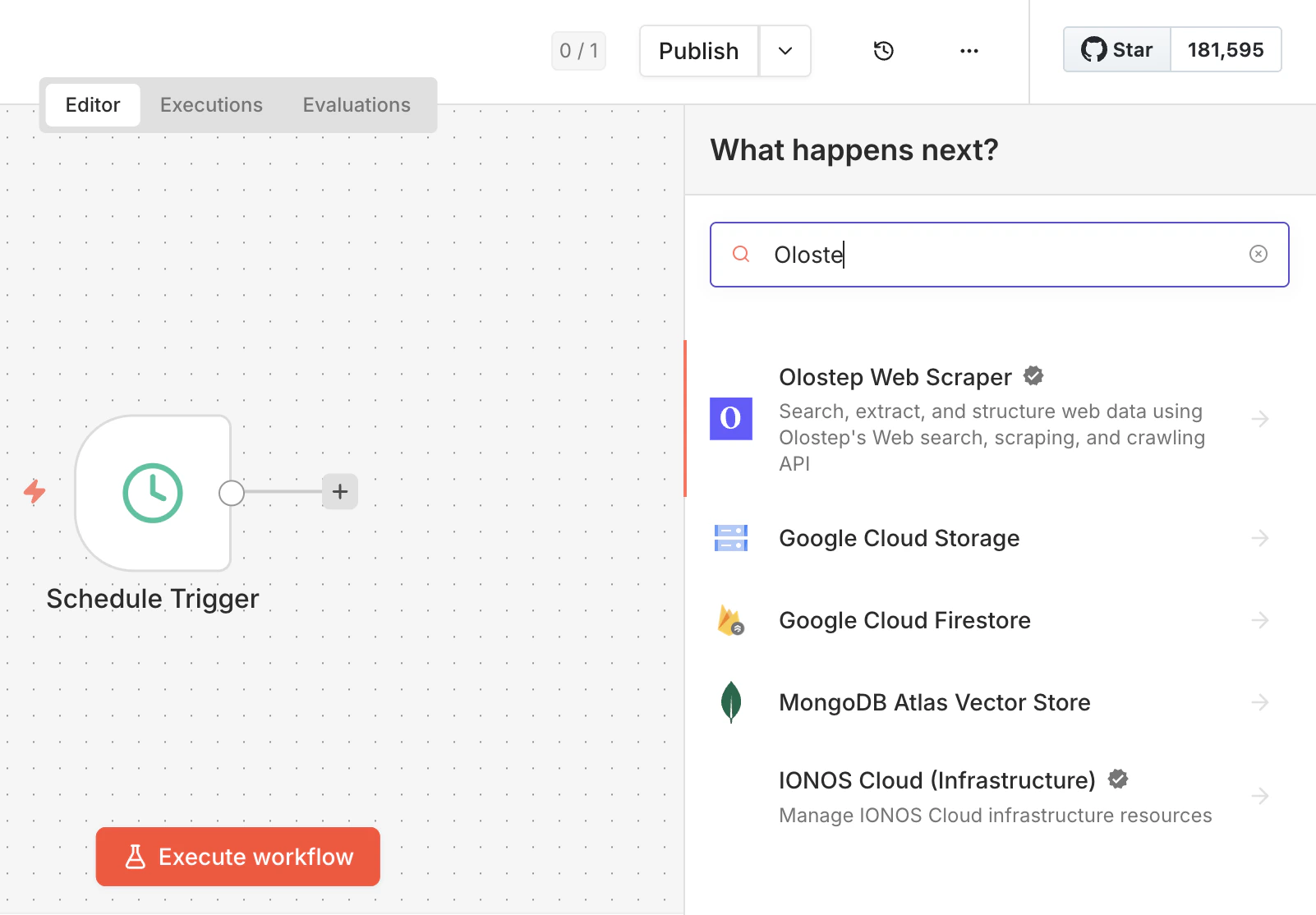
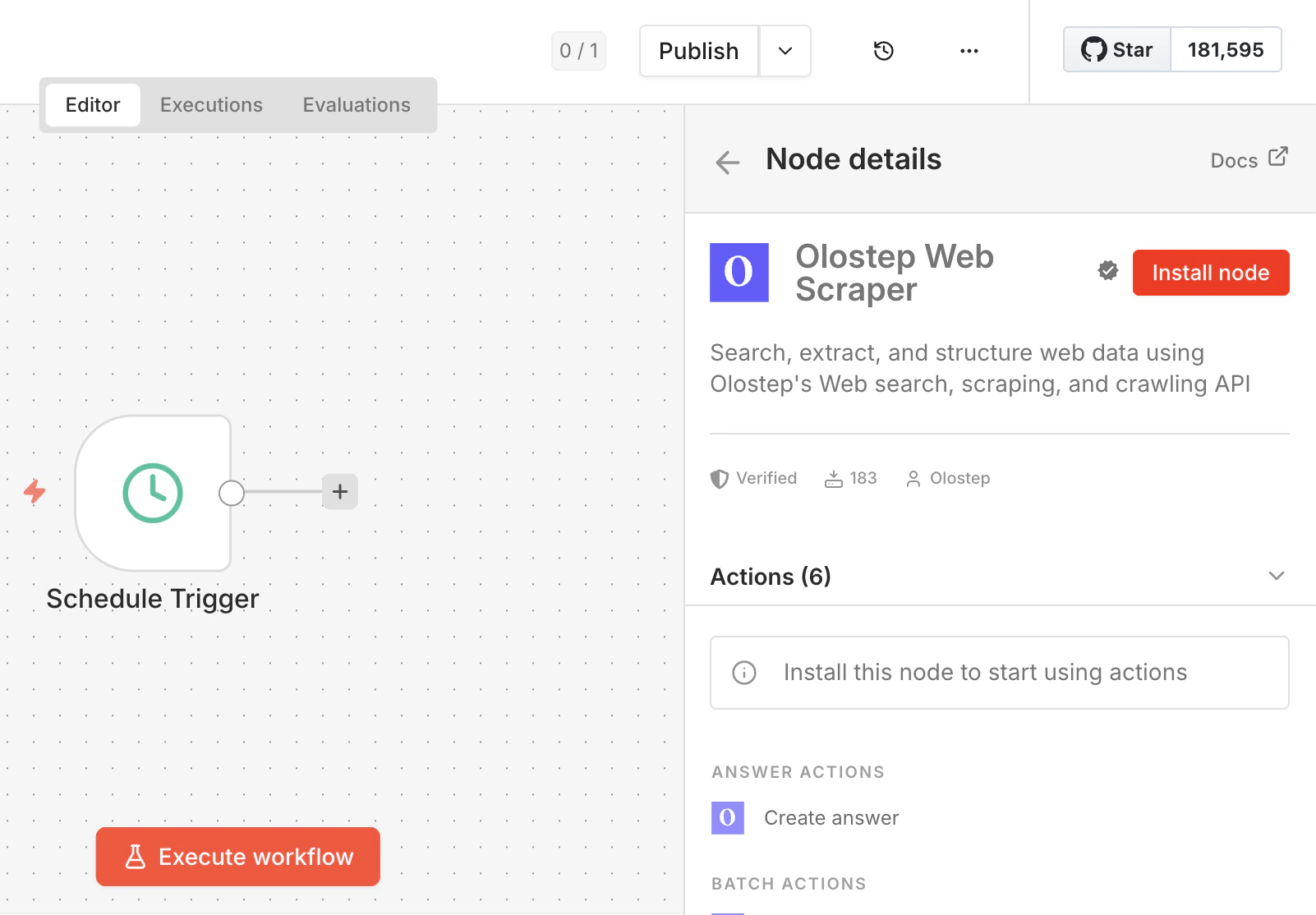
1. Install the Node
Install the Olostep node package via npm:2. Connect Your Account
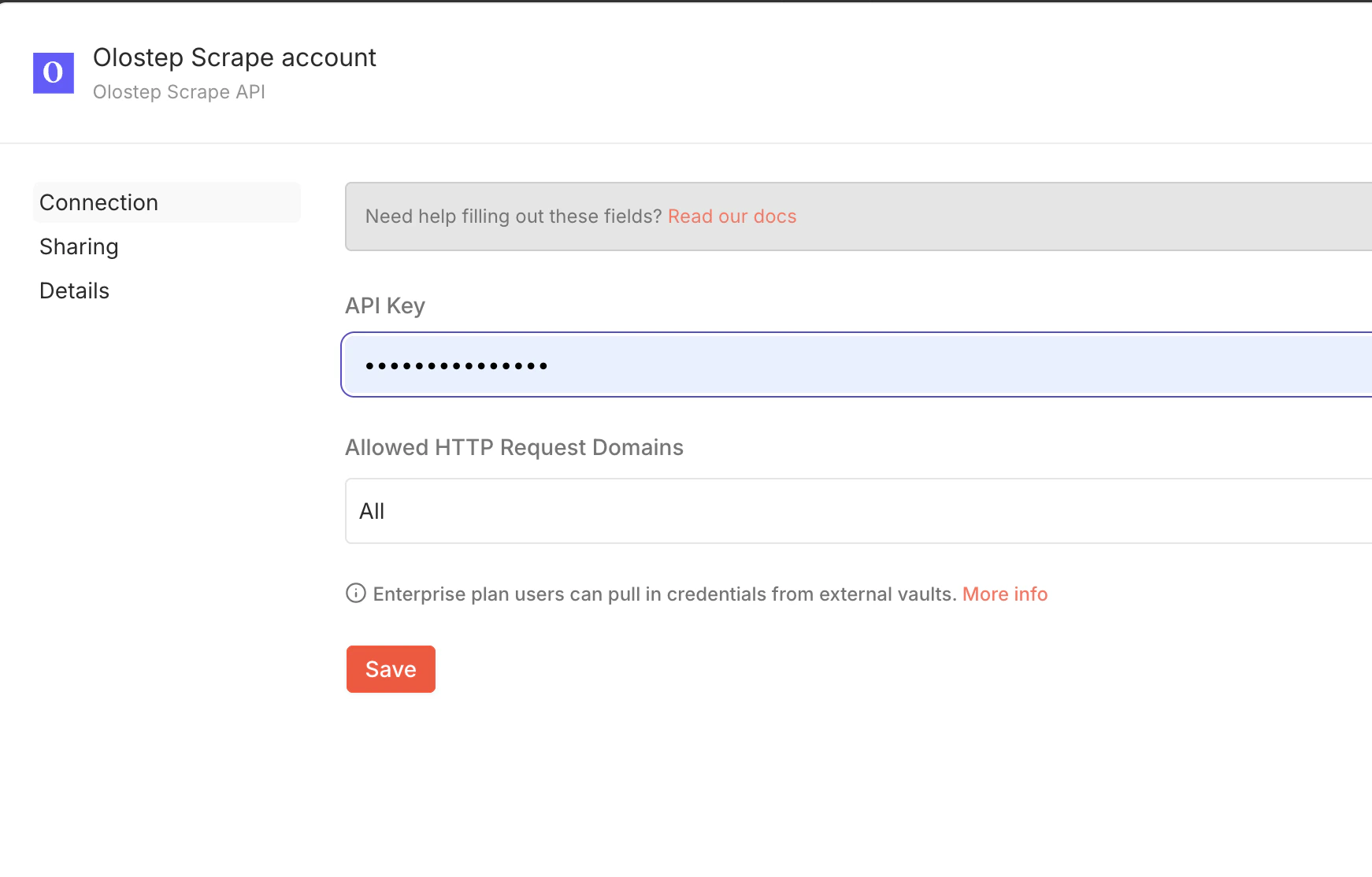
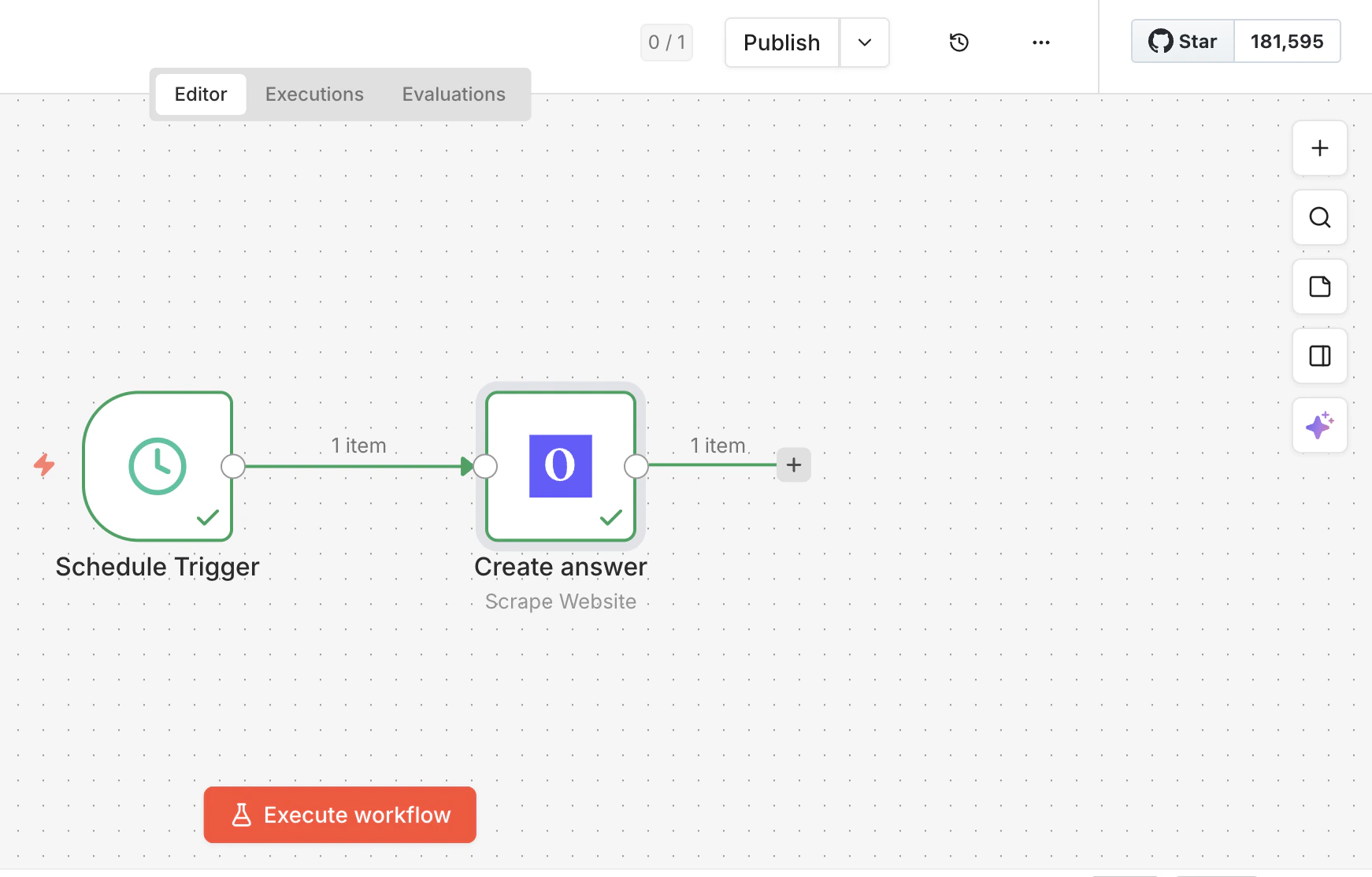
When you first use the Olostep node in a workflow, you’ll need to configure credentials:- Add the “Olostep Scrape” node to your workflow
- Click on the node to open its settings
- Click “Create New Credential” or select existing credentials
- Enter your Olostep API key
- Click “Save” to store the credential
Available Actions
Scrape Website
Extract content from a single URL. Supports multiple formats and JavaScript rendering. Use Cases:- Monitor specific pages for changes
- Extract product information from e-commerce sites
- Gather data from news articles or blog posts
- Pull content for content aggregation
Website URL to scrape (must include http:// or https://)
Choose format: Markdown, HTML, JSON, or Plain Text
Country code for location-specific content (e.g., “US”, “GB”, “CA”)
Wait time in milliseconds for JavaScript rendering (0-10000)
Optional parser ID for specialized extraction (e.g., “@olostep/amazon-product”)
- Scrape ID
- Scraped URL
- Markdown Content
- HTML Content
- JSON Content
- Text Content
- Status
- Timestamp
- Screenshot URL (if available)
- Page Metadata
Monitor Competitor Pricing
Trigger: Schedule (Every day at 9 AM)Action: Olostep - Scrape Website
- URL: Competitor product page
- Format: JSON
- Parser: @olostep/amazon-product
- Add price data to tracking spreadsheet
- Alert team about price changes
Extract and Save Blog Posts
Trigger: RSS Feed - New ItemAction: Olostep - Scrape Website
- URL: {{$json.link}}
- Format: Markdown
- Save article content to Notion database
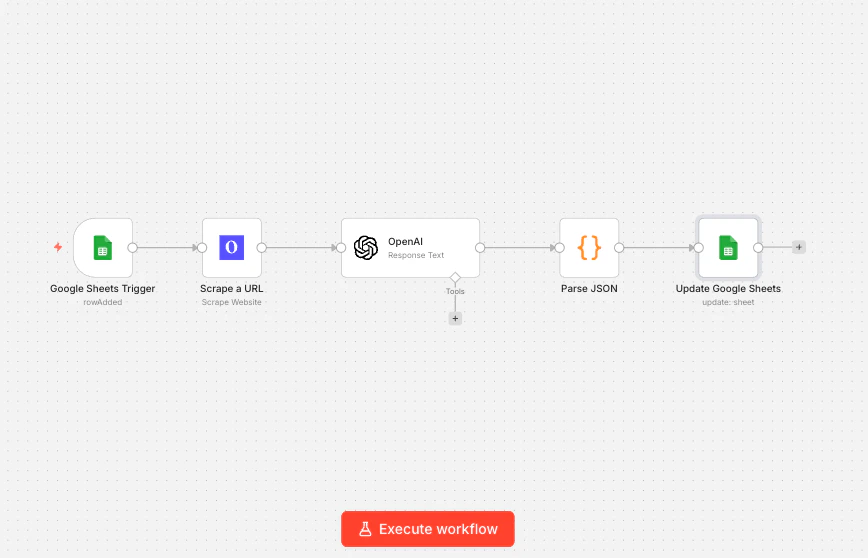
Lead Enrichment
Lead Enrichment
Trigger: Google Sheets - New RowAction: Olostep - Scrape Website
- URL: Company website from sheet
- Format: Markdown
- Extract company information using AI
- Add enriched data back to sheet
Search
Search the Web for a given query and get structured results (non-AI, parser-based search results). Use Cases:- Automated research workflows
- Lead discovery and enrichment
- Competitive analysis
- Content research
Search query
Automated Research
Automated Research
Trigger: Schedule (Daily at 8 AM)Action: Olostep - Search
- Query: “latest AI developments”
- Extract and format key information
- Store research findings
Lead Discovery
Lead Discovery
Trigger: Manual (Button)Action: Olostep - Search
- Query: ”{{$json.searchTerm}}”
- Store leads with contact information
Batch Scrape URLs
Scrape up to 10k urls at the same time. Perfect for large-scale data extraction. Use Cases:- Scrape entire product catalogs
- Extract data from multiple search results
- Process lists of URLs from spreadsheets
- Bulk content extraction
JSON array of objects with url and custom_id fields.Example:
[{"url":"https://example.com","custom_id":"site1"}]Choose format for all URLs: Markdown, HTML, JSON, or Plain Text
Country code for location-specific scraping
Wait time in milliseconds for JavaScript rendering
Optional parser ID for specialized extraction
- Batch ID (use this to retrieve results later)
- Status
- Total URLs
- Created At
- Requested Format
- Country Code
- Parser Used
Scrape Product Catalog
Trigger: Webhook - Receive POST RequestAction: Code - Format URLs
- Convert CSV/list to JSON array format
- URLs: {{$json.urlArray}}
- Format: JSON
- Parser: @olostep/amazon-product
- Send batch ID to your system for retrieval
Daily Content Monitoring
Trigger: Schedule - Every day at 6 AMAction: Google Sheets - Read Rows
- Fetch URLs to monitor
- Convert to batch array format
- Process all URLs at once
- Notify team that scraping is complete
Create Crawl
Get the content of subpages of a URL. Autonomously discover and scrape entire websites by following links. Perfect for documentation sites, blogs, and content repositories. Use Cases:- Crawl and archive entire documentation sites
- Extract all blog posts from a website
- Build knowledge bases from web content
- Monitor website structure changes
Starting URL for the crawl (must include http:// or https://)
Maximum number of pages to crawl
Whether to follow links found on pages
Format for scraped content
Optional country code for location-specific crawling
Optional parser ID for specialized content extraction
- Crawl ID (use this to retrieve results later)
- Object Type
- Status
- Start URL
- Maximum Pages
- Follow Links
- Created Timestamp
- Formats
Archive Documentation Site
Trigger: Schedule - Monthly on 1st at 12 AMAction: Olostep - Create Crawl
- Start URL: https://docs.example.com
- Max Pages: 500
- Follow Links: true
- Format: Markdown
- Send crawl ID to your archive system
- Notify team that crawl is in progress
Competitor Content Analysis
Trigger: Schedule - Weekly on Monday at 9 AMAction: Olostep - Create Crawl
- Start URL: Competitor blog URL
- Max Pages: 100
- Format: Markdown
- Wait for crawl to complete
- Store crawl data for analysis
Create Map
Get all URLs on a website. Extract all URLs from a website for content discovery and site structure analysis. Use Cases:- Build sitemaps and site structure diagrams
- Discover all pages before batch scraping
- Find broken or missing pages
- SEO audits and analysis
Website URL to extract links from (must include http:// or https://)
Optional search query to filter URLs (e.g., “blog”)
Limit the number of URLs returned
Glob patterns to include specific paths (e.g., “/blog/**”)
Glob patterns to exclude specific paths (e.g., “/admin/**”)
- Map ID
- Object Type
- Website URL
- Total URLs Found
- URLs (JSON array)
- Search Query
- Top N Limit
Discover and Scrape
Discover and Scrape
Trigger: Manual (Button)Action: Olostep - Create Map
- URL: https://example.com
- Include Patterns: /products/**
- Top N: 500
- Parse URLs from map result
- URLs: {{$json.urls}}
- Format: JSON
- Add all product data to spreadsheet
SEO Site Audit
SEO Site Audit
Trigger: Schedule - MonthlyAction: Olostep - Create Map
- URL: Your website
- Top N: 1000
- Store all URLs for tracking
- Report total pages found
Popular Workflow Examples
E-commerce Price Monitoring
Monitor competitor prices and get instant alerts:Content Aggregation
Aggregate content from multiple sources:Lead Enrichment Pipeline
Enrich lead data with web information:Research Automation
Automate research from multiple sources:Social Media Monitoring
Track mentions and content:Multi-Step Workflows
Complete Product Scraping Pipeline
Build a comprehensive product data pipeline:Discover Product URLs
Use Create Map to find all product pages on the target website
- Include patterns:
/products/** - Exclude patterns:
/cart/**,/checkout/**
Batch Process Products
Use Batch Scrape URLs to extract all product data
- Format: JSON
- Parser: Product-specific parser if available
Store in Database
Send batch ID to your system or wait and retrieve results
- Use Airtable, Google Sheets, or your database
SEO Content Strategy
Analyze competitors and plan content:Specialized Parsers
Olostep provides pre-built parsers for popular websites. Use them with theParser field:
Amazon Product
@olostep/amazon-productExtract: title, price, rating, reviews, images, variantsGoogle Search
@olostep/google-searchExtract: search results, titles, snippets, URLsGoogle Maps
@olostep/google-mapsExtract: business info, reviews, ratings, locationExtract Emails
@olostep/extract-emailsExtract: emails from pages, contact lists, and footersExtract Socials
@olostep/extract-socialsExtract: social profile links (X/Twitter, GitHub, etc.)Extract Calendars
@olostep/extract-calendarsExtract: calendar links (Google Calendar, ICS) from pagesUsing Parsers
Simply add the parser ID to the Parser field. Two examples:Integration with Popular Apps
Google Sheets
Perfect for data collection and tracking:- Price tracking spreadsheets
- Lead enrichment databases
- Content inventory
- Competitor analysis sheets
Airtable
Build powerful databases with scraped data:- Product catalogs
- Research databases
- Content calendars
- Link databases
Slack
Get instant notifications:- Price drop alerts
- Content update notifications
- Error monitoring
- Daily digests
HubSpot / Salesforce
Enrich CRM data automatically:- Lead enrichment
- Company research
- Competitive intelligence
- Account mapping
Notion
Build knowledge bases:- Documentation mirrors
- Research repositories
- Content libraries
- Team wikis
Best Practices
Use Batch Processing for Multiple URLs
When scraping more than 3-5 URLs, use Batch Scrape URLs instead of multiple Scrape Website actions. Batch processing is:
- Much faster (parallel processing)
- More cost-effective
- Easier to manage
- Better for rate limits
Set Appropriate Wait Times
For JavaScript-heavy sites, use the “Wait Before Scraping” parameter:
- Simple sites: 0-1000ms
- Dynamic sites: 2000-3000ms
- Heavy JavaScript: 5000-8000ms
Use Specialized Parsers
Use pre-built parsers (e.g., Amazon, Google, and task-specific parsers from the Olostep Store like emails, socials, calendars):
- Get structured data automatically
- More reliable extraction
- No need for custom parsing
- Maintained by Olostep
Filter Before Scraping
Use n8n’s IF node to avoid unnecessary scrapes:
- Check if URL has changed
- Verify data hasn’t been scraped recently
- Apply business logic before scraping
Handle Async Operations
Batch, Crawl, and Map operations are asynchronous:
- Store the returned ID (batch_id, crawl_id, map_id)
- Use a Wait node if retrieving immediately
- Consider webhook callbacks for completion
- Set up separate workflows for retrieval
Store Results Properly
Choose the right storage based on your needs:
- Google Sheets: Simple tracking, team collaboration
- Airtable: Relational data, rich formatting
- Database: Large-scale, complex queries
- Notion: Knowledge base, documentation
Monitor and Alert
Monitor and Alert
Set up monitoring for your scraping workflows:
- Use Error workflows in n8n
- Send alerts to Slack/Email on failures
- Track API usage in Olostep dashboard
- Log important metrics
Common Use Cases by Industry
E-commerce
- Price Monitoring: Track competitor pricing in real-time
- Product Research: Discover trending products and market gaps
- Inventory Tracking: Monitor stock availability
- Review Analysis: Aggregate and analyze customer reviews
Marketing & SEO
- Content Discovery: Find content opportunities
- Competitor Analysis: Track competitor strategies
- Backlink Research: Discover link opportunities
- Keyword Research: Extract keyword data from search results
Sales & Lead Generation
- Lead Enrichment: Enhance CRM data with web information
- Company Research: Gather company intelligence
- Contact Discovery: Find decision-makers
- Competitive Intelligence: Track competitor moves
Research & Analytics
- Data Collection: Gather data from multiple sources
- Market Research: Track industry trends
- Academic Research: Collect research data
- Price Intelligence: Analyze pricing strategies
Media & Publishing
- Content Aggregation: Curate content from multiple sites
- News Monitoring: Track news and mentions
- Social Media: Monitor social platforms
- Trend Detection: Identify trending topics
Troubleshooting
Authentication Failed
Error: “Invalid API key”Solutions:
- Check API key from dashboard
- Ensure no extra spaces in API key
- Recreate the credential in n8n
- Verify API key is active
Scrape Returns Empty Content
Error: Content fields are emptySolutions:
- Increase “Wait Before Scraping” time
- Check if website requires login
- Try different format (HTML vs Markdown)
- Verify URL is accessible
- Check if site blocks automated access
Batch Array Format Error
Error: “Invalid JSON format for batch array”Solutions:
- Use format:
[{"url":"https://example.com","custom_id":"id1"}] - Ensure proper JSON syntax
- Use Code node to format URLs correctly
- Test JSON with online validator
Rate Limit Exceeded
Rate Limit Exceeded
Error: “Rate limit exceeded”Solutions:
- Space out workflow executions with Wait nodes
- Use batch processing instead of individual scrapes
- Upgrade your Olostep plan
- Check rate limit in dashboard
URL Not Scraped
URL Not Scraped
Error: Specific URLs fail to scrapeSolutions:
- Verify URL format (include http:// or https://)
- Check if URL requires authentication
- Test URL in browser first
- Try with country parameter
- Contact support for blocked domains
n8n Advantages
Self-Hosted
n8n is self-hosted, giving you complete control over your workflows and data. No vendor lock-in, no data leaving your infrastructure.No Task Limits
Unlike cloud-based automation platforms, n8n doesn’t impose task limits. Run as many workflows as you need without additional costs.Open Source
n8n is open source, allowing you to customize and extend it to fit your specific needs.Cost-Effective
Self-hosted n8n is free, with optional cloud hosting available. Only pay for the Olostep API usage.Pricing
Olostep charges based on API usage, independent of n8n:- Scrapes: Pay per scrape
- Batches: Pay per URL in batch
- Crawls: Pay per page crawled
- Maps: Pay per map operation
Support
Need help with the n8n integration?Documentation
Browse complete API docs
Support Email
Email: info@olostep.com
n8n Community
Ask in n8n Community
Status Page
Check API status
Related Resources
Scrapes API
Learn about the Scrapes endpoint
Batches API
Learn about the Batches endpoint
Crawls API
Learn about the Crawls endpoint
Maps API
Learn about the Maps endpoint
Python SDK
Use Olostep with Python
LangChain Integration
Build AI agents with LangChain
Get Started
Ready to automate your web search, scraping, and crawling workflows?Install the Node
Install n8n-nodes-olostep and start building automated workflows